
A little preparation. A better day.
A better day starts here.
Choose where, when and what you’re fishing for. We’ll bring your conditions, tactics and tackle into one personalised fishing brief.
The screenshots show a coastal example at Scarborough, captured on 15 October 2026. Dates, forecasts and tide readings are examples, not current advice. Tap any screenshot to see it full size.
Step 1
Choose your spot and date
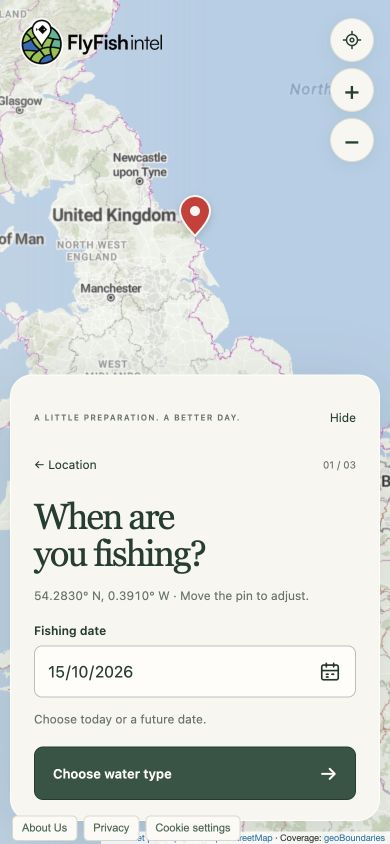
Move around the map and tap or click where you want to fish. A red pin marks your choice. Use the + and − buttons to zoom, or pinch on your phone.
The location button can centre the map near you if you allow location access. You can also choose Use map centre or Enter coordinates.
Under When are you fishing?, the date starts at today. Tap the date or calendar icon to choose another day, then select Choose water type.
Step 2
Choose the water
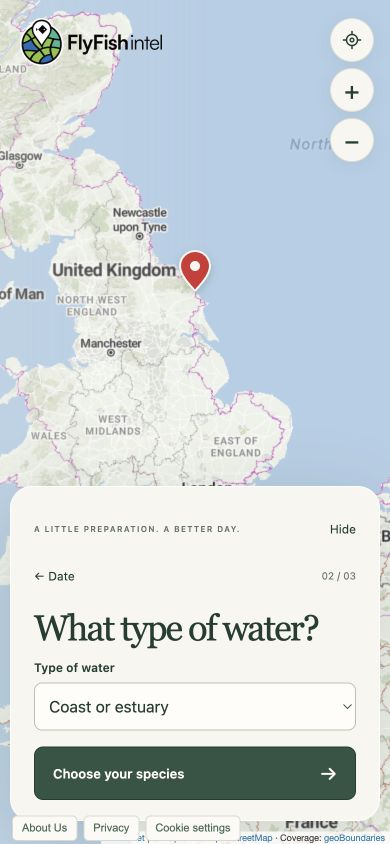
Select River or stream, Lake or stillwater, or Coast or estuary, then tap Choose your species.
This helps tailor your tactics and determines whether we look for river-level or tide information. Choose the water you actually intend to fish, even if another type is nearby.
Step 3
Tell us what you’re fishing for
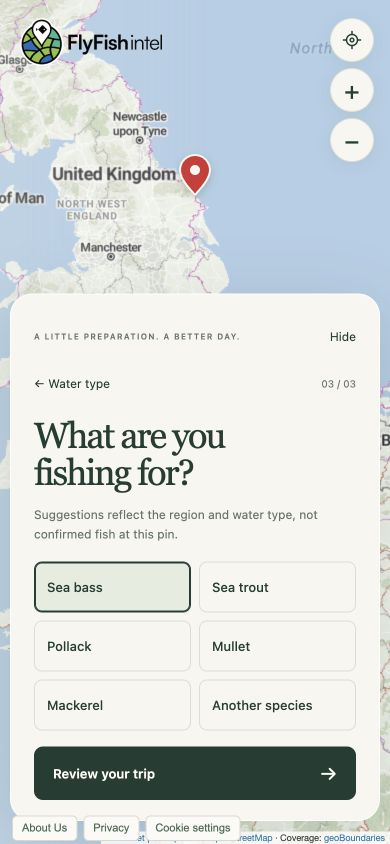
Pick a target species, or choose Another species and enter its name. The suggestions change with the location and water type; they don’t confirm which fish are present at the exact pin.
Tap Review your trip when you’re ready.
Step 4
Check your trip, then get your brief
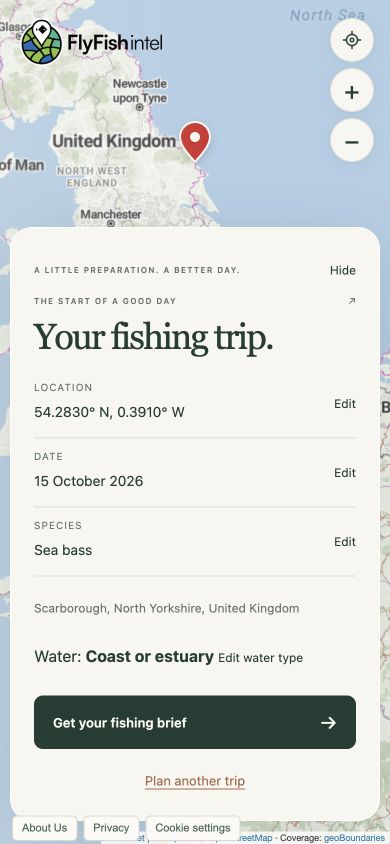
Check the location, date, species and water type. Use the Edit links to change a selection.
Select Get your fishing brief. A spinner appears while we prepare it. Keep the page open until your brief is ready.
Use Plan another trip whenever you want to start again.
Step 5
Make a plan for the water
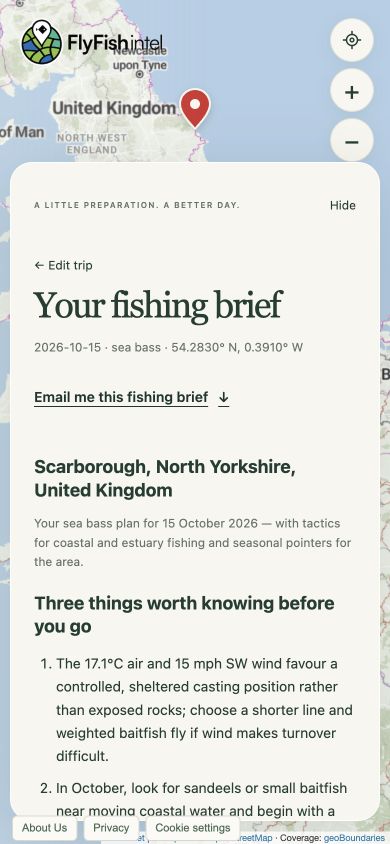
Start with Three things worth knowing, then scroll through your brief. Tap a section heading to open it:
- Conditions: weather information for your chosen day, where a forecast is available.
- River level or Tides and tactics: available local readings or predictions, directly below Conditions.
- Outlook and How I’d fish it: what to look for and how to approach your session.
- What to take: suggested tackle, flies and equipment.
Read the sources and planning notes too. Nearby readings are a guide; check local access, permissions, rules and actual conditions before fishing.
Step 6
Take your brief with you
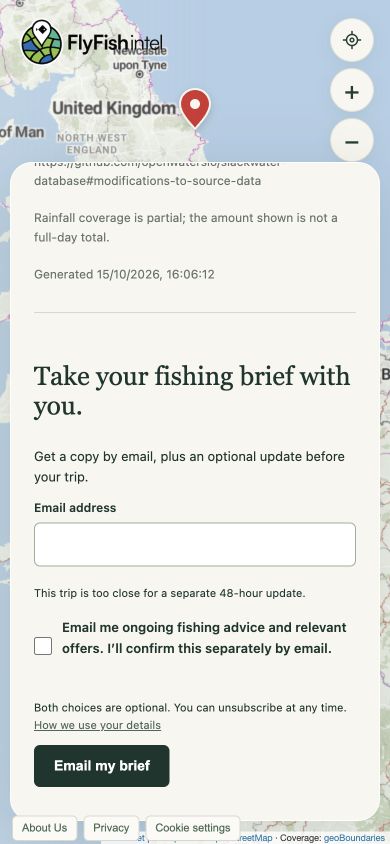
Tap Email me this fishing brief to jump to the email form, enter your address and select Email my brief.
A green confirmation and grey ✓ Email queued button mean your request has been accepted. Delivery may take a few minutes.
For eligible future trips, you can request an updated brief. It is scheduled for 9 am in the fishing location’s timezone, two days before your trip. The option is hidden when that time has already passed.
Ongoing fishing advice and offers are a separate, optional choice. If you select it, confirm using the separate email. You can change your choices using the preferences link in your emails.
A few useful answers
Will you share my secret fishing spot?
Your secret spot stays off everyone else’s map. We don’t publish your pins or show them to other anglers. We use your chosen location to prepare your fishing brief, with temporary storage to support email delivery and any update you request.
Dropping a pin checks the area and coverage; it does not add your spot to a permanent fishing-spots database. When you generate a brief, a temporary copy including the coordinates expires after 24 hours, even if you don’t request an email.
If you request an email or scheduled update, we retain the location to fulfil that request. Detailed trip information is cleared from the email queue 30 days after completion or cancellation. International demand reporting records the country, not your precise pin.
Relevant mapping, weather, tide and brief-generation providers process location information to deliver these features. If you request an email, it includes your selected location. The storage periods above apply to the application; provider records and backups may have different retention periods.
Where can I get a fishing brief?
Detailed briefs currently cover the UK and the whole of Ireland, with supported coastal waters up to 5 km offshore. You can explore pins worldwide. Outside coverage, you’ll see a clear message instead of a detailed brief.
Where available, leave your email to request one notification when your selected country becomes supported. Confirm it by email; it is separate from ongoing fishing updates and can be cancelled using that email’s preferences link. “Coming soon” does not promise a launch date.
Do I need an account or location access?
No account is needed to create a brief. Sharing your device location is optional: you can move the map, choose its centre or enter coordinates instead. An email address is only needed if you want email delivery or a coverage notification.
Why can’t I see a forecast, river level or tide height?
Your date may be beyond the forecast range, or a nearby provider may not have a suitable current reading. The brief explains when data is unavailable rather than filling in a value. River readings describe recent observations, not a forecast of your trip’s river level. Tide information is shown where a supported feed is available.
My email hasn’t arrived. What should I do?
Allow a few minutes, then check your junk or spam folder and the address you entered. “Email queued” confirms your request, not inbox delivery. If you entered the wrong address, correct it in the form and submit again. Already-confirmed subscribers won’t receive another subscription-confirmation email.
Why am I being asked to wait?
Usage limits help keep the service available. If you reach a limit, follow the waiting message before trying again. If a brief is temporarily unavailable, leave your selections in place and try again shortly.
How do I change cookie or email preferences?
Use Cookie settings to change your optional analytics choice. Use the preferences link in an email to stop optional fishing updates, a scheduled trip update or a coverage notification. Requesting a brief by email does not require subscribing to ongoing fishing advice.